
For CFOs, fractional CFOs, controllers, bookkeepers, and accounts payable teams, that question is no longer just an IT concern. It is a financial-control question.
A message that appears to come from a founder, owner, CEO, or other executive can trigger a rushed wire transfer, a fraudulent vendor banking change, or the disclosure of sensitive financial information. And when the executive's actual Microsoft 365 account has been compromised, the email may look completely legitimate.
It comes from the right address. It uses the person's real signature. It may reference actual vendors, invoices, meetings, customers, or projects. It may even arrive during travel, a board meeting, or a period when the executive is difficult to reach.
That is what makes business email compromise so dangerous.
The most dangerous email may come from a real account
Many people picture phishing as an obvious scam: a misspelled sender address, strange grammar, or a suspicious link. Those emails still exist, and Microsoft security tools can help stop many of them.
But financially damaging attacks often look different.
A criminal who gains access to a founder's or owner's Microsoft 365 account does not necessarily need to send a generic phishing message. They can use the account to communicate as that executive. They can search mailbox history, understand relationships with vendors and finance staff, and craft a request that fits the organization's normal workflow.
For an AP professional, the message may appear routine:
"Please process this wire today. I need this handled before the end of the afternoon."
"We changed banks. Please use the attached instructions for future payments."
"I am tied up in meetings. Do not call me — just get this paid and confirm when complete."
The urgency is intentional. The request to avoid normal verification is intentional. The use of executive authority is intentional.
The attacker is not trying to win a debate with your finance team. They are trying to create enough pressure that someone bypasses the process.
Why founder and owner accounts need stronger protection
Founder, owner, and executive accounts carry a level of trust that most other accounts do not.
An email from an executive can authorize action, accelerate a payment, change priorities, request sensitive reports, or override normal procedures. In many organizations, staff members are conditioned to respond quickly when an owner or founder asks for something.
These accounts also tend to have broad access. An executive may have access to financial systems, payroll information, confidential customer data, legal documents, strategic plans, bank correspondence, and internal communications. Their mailbox can be one of the most valuable sources of intelligence an attacker can obtain.
That creates two separate risks:
- Authority risk: Employees may act on a fraudulent request because it appears to come from someone with decision-making power.
- Information risk: A compromised executive mailbox can reveal vendor relationships, financial activity, internal controls, and communication patterns that make future fraud more convincing.
For these reasons, securing executive accounts should not be treated as a standard-user security project. They should be treated as high-impact identities within the Microsoft ecosystem.
Multifactor authentication is important, but it is not enough
Multifactor authentication, or MFA, is an essential layer of protection. Every organization using Microsoft 365 should require MFA, especially for executives, finance personnel, administrators, and anyone with access to sensitive information.
However, MFA alone does not eliminate the risk of account compromise.
Attackers may use tactics such as phishing, adversary-in-the-middle attacks, MFA fatigue prompts, stolen session tokens, malicious OAuth applications, compromised devices, or social engineering to gain access. A basic MFA deployment may make an attack harder, but it may not provide the level of protection required for accounts that can influence payments or access critical business data.
High-risk accounts need a more complete approach that combines identity controls, email security, endpoint protection, monitoring, and business process discipline.
What a secure Microsoft environment should include
Microsoft 365 and the broader Microsoft security ecosystem can provide strong protections, but the value comes from designing, configuring, monitoring, and maintaining those protections correctly.
For executive, finance, and AP-related accounts, a well-secured Microsoft environment should include several key layers.
Phishing-resistant MFA
Not all MFA methods provide the same level of protection.
Executives, owners, and finance leaders should use phishing-resistant authentication wherever possible. Methods such as FIDO2 security keys, passkeys, Windows Hello for Business, and certificate-based authentication can reduce exposure to common credential-phishing and MFA fatigue attacks.
The goal is to make it significantly more difficult for an attacker to use a stolen password or trick an employee into approving a fraudulent sign-in.
Conditional Access policies
Conditional Access helps organizations determine who can access Microsoft resources, from what device, from which location, and under what conditions.
For example, policies can require stronger authentication for high-risk users, block access from countries where the organization does not operate, prevent sign-ins from unmanaged devices, or require a compliant and protected device before allowing access to sensitive Microsoft 365 data.
For founder and owner accounts, Conditional Access should be designed around the reality that executives often travel, use mobile devices, and need convenient access. The objective is not to create unnecessary friction. It is to balance usability with safeguards that protect against abnormal or risky access.
Endpoint security and device compliance
A secure identity can still be exposed if the device accessing it is compromised.
Endpoint protection and device management help ensure that laptops, desktops, and mobile devices accessing Microsoft 365 meet minimum security requirements. This can include disk encryption, supported operating systems, current security patches, endpoint detection and response, antivirus protection, screen-lock requirements, and mobile application protections.
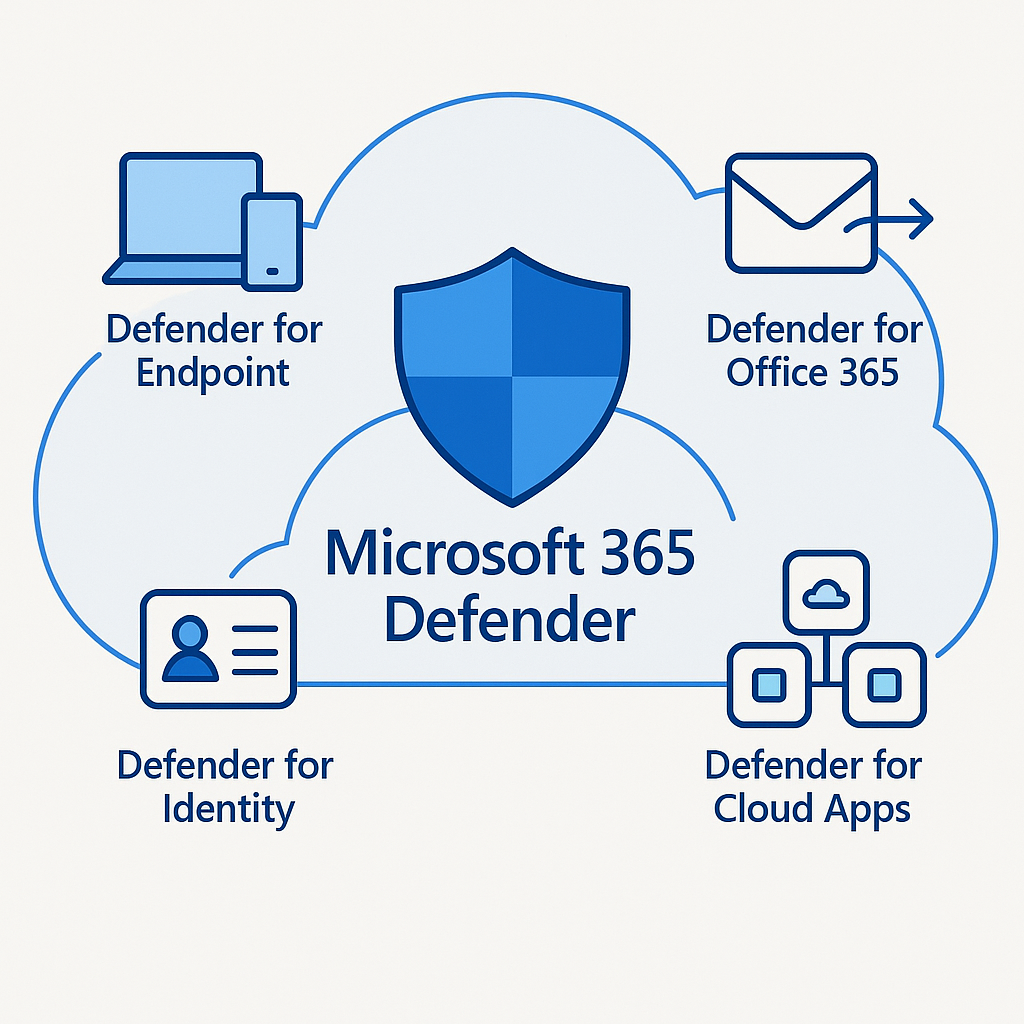
Microsoft Intune and Microsoft Defender for Endpoint can play important roles in managing and protecting the devices used by executives and finance personnel.
Advanced email protection
Microsoft Defender for Office 365 can help defend against malicious email, phishing attempts, impersonation, unsafe links, and malicious attachments.
For finance teams, email protections should be tuned specifically for the types of messages attackers use in payment fraud. That includes executive impersonation, vendor impersonation, newly registered domains that resemble trusted vendors, and inbound messages containing suspicious payment instructions.
It is also important to understand the limitation: if the criminal is using a real, compromised executive mailbox, the email may not be blocked as spam. That is why identity security and AP procedures must work together.
Privileged access controls
Executives should not routinely use highly privileged administrator accounts for daily email, collaboration, or document work.
A secure Microsoft environment separates standard user activity from administrative activity. Administrative accounts should be protected with stronger controls, used only when necessary, and monitored closely. Organizations should also limit standing administrative access and use role-based permissions so that individuals have only the access needed for their responsibilities.
This reduces the chance that a compromised executive account becomes a path to a wider Microsoft 365 takeover.
Monitoring and rapid response
Security is not a one-time configuration exercise.
The organization should have visibility into suspicious sign-ins, impossible travel events, unfamiliar devices, risky inbox rules, unusual mailbox forwarding, unauthorized application consent, and abnormal file or email activity.
If a founder's or owner's account is compromised, response time matters. The longer an attacker remains in the account, the more time they have to study communications, create persistence, manipulate payment workflows, and send fraudulent requests.
A capable Microsoft security partner should help monitor risk, investigate suspicious activity, and respond quickly when an account shows signs of compromise.
Accounts payable needs a process that does not depend on email trust
Technology can reduce the likelihood of an account compromise. It cannot eliminate every possible scenario.
That is why AP controls remain essential. The most important rule is simple:
Never approve a new payment, vendor banking change, or urgent wire request based solely on an email — even when it appears to come from the founder, owner, or CEO.
Instead, finance teams should establish a defined, documented verification process. The process should be easy to follow under pressure and should not depend on an employee's personal judgment about whether an email "looks real."
Effective payment verification procedures can include:
- Calling a known, independently verified phone number for the executive or vendor
- Using a formal approval workflow within the accounting or ERP system
- Requiring dual approval for new vendors, changed bank instructions, and large payments
- Confirming payment changes with a pre-established vendor contact rather than the contact information included in the email
- Requiring verbal confirmation for wire requests above a defined dollar threshold
- Creating a clear escalation process when an executive appears to request an exception
- Training AP staff that verification is expected and supported, even when the request appears urgent
A good control does not force AP staff to choose between security and pleasing an executive. It makes verification the normal and expected part of the process.
The right Microsoft partner helps protect both technology and business operations
Many organizations have Microsoft 365 licenses, MFA enabled for some users, and basic email filtering in place. That does not necessarily mean they have a security strategy designed to protect their highest-risk accounts and financial workflows.
The right technology partner should do more than provision Microsoft licenses or respond when a user cannot access email. A security-focused Microsoft partner should help an organization:
- Identify founder, owner, executive, finance, AP, and administrator accounts that require elevated protection
- Evaluate current Microsoft 365 identity, email, device, and access controls
- Implement phishing-resistant authentication and risk-based access policies
- Configure Microsoft Defender protections for executive and vendor impersonation
- Secure administrative access and reduce unnecessary privileges
- Monitor suspicious activity and respond to potential compromise quickly
- Help create practical payment-verification procedures with finance leadership
- Provide ongoing security reviews as Microsoft features, threats, staff, and business processes change
- Train employees to recognize social engineering without making security feel like an obstacle to getting work done
The goal is not simply to "make Microsoft 365 secure." The goal is to reduce the likelihood that a compromised account leads to a real financial loss.
A simple test for CFOs and AP teams
Ask this question: if an attacker gained access to our founder's or owner's Microsoft 365 mailbox today, what could they convince our team to do before anyone noticed?
Could they request a wire? Change vendor banking details? Obtain payroll reports? Ask for customer payment information? Redirect invoices? Impersonate the executive to a vendor or financial institution?
The answer often reveals gaps that are not visible in a standard IT checklist.
For CFOs, fractional CFOs, and AP teams, Microsoft security should be viewed as part of financial risk management. The right identity protections, email controls, device security, monitoring, and payment-verification procedures can make the difference between a suspicious email and a costly incident.
Your founder's or owner's account is more than an inbox. It is a high-trust financial control point. Make sure it is protected accordingly.